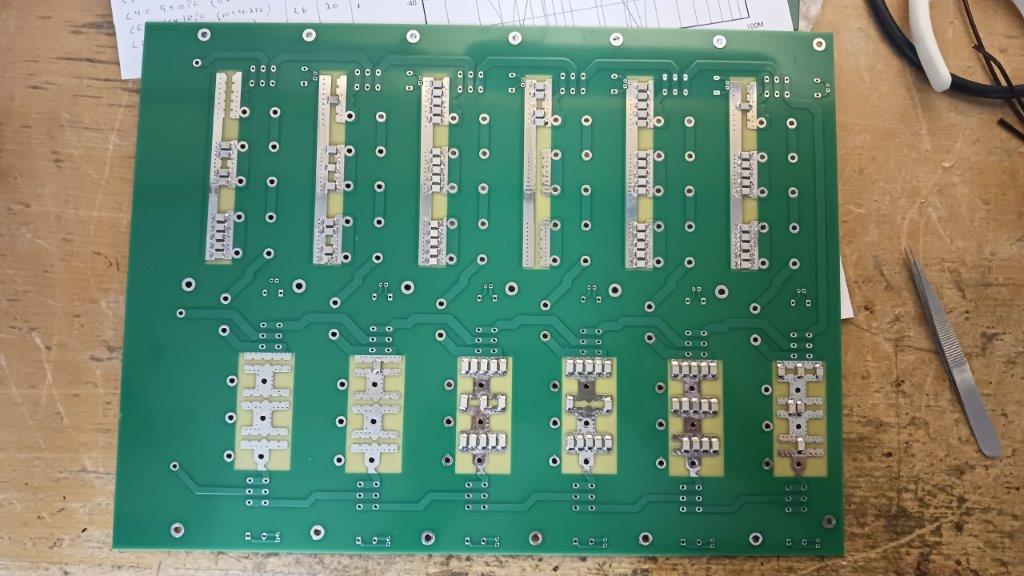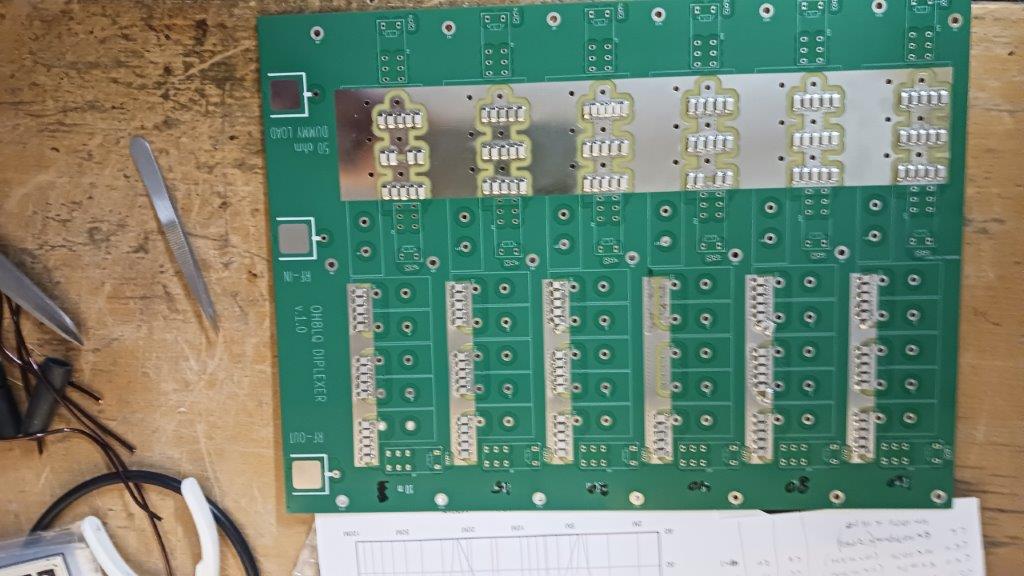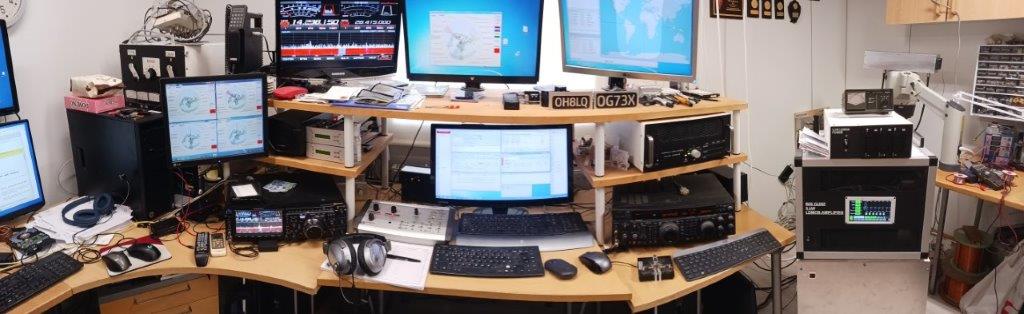
- Details
- Written by: Jari Ojala
- Category: Uncategorised
- Hits: 116
How do you set up N1MM+ for SO2R operation using the FTdx101's built-in USB audio codecs?
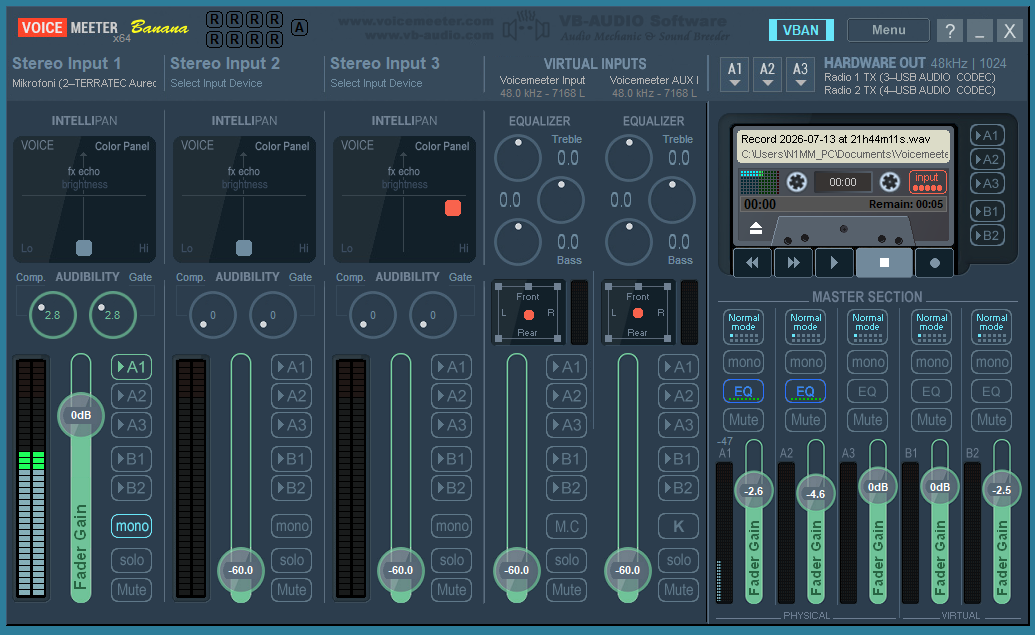
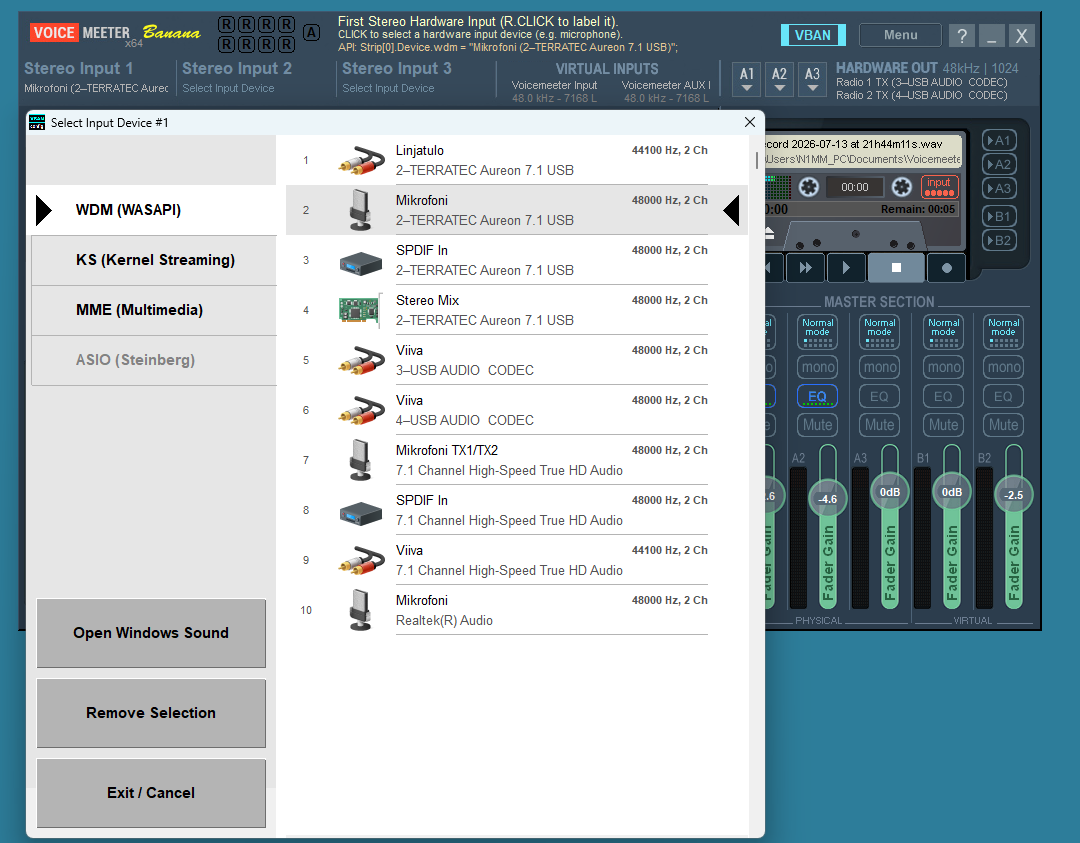
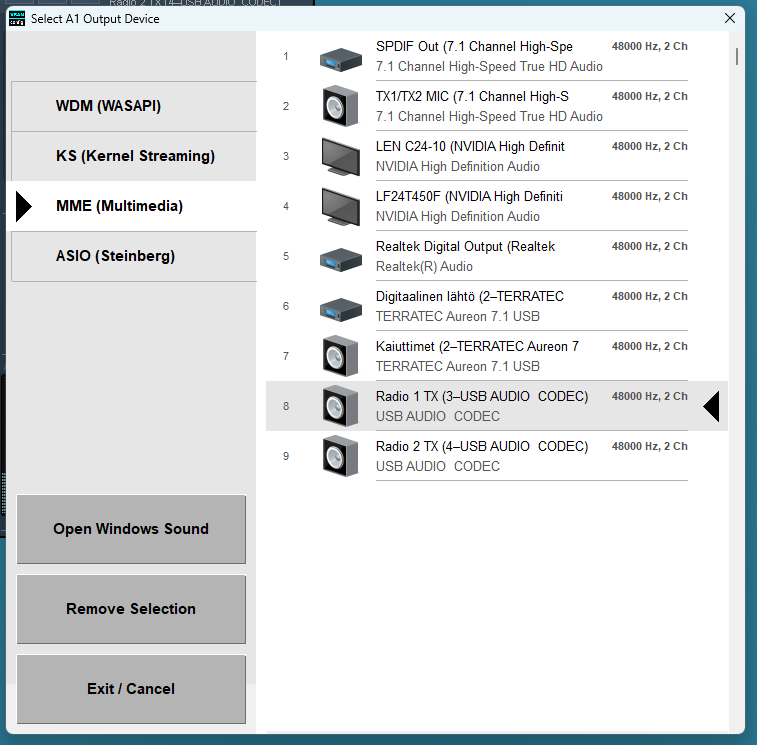
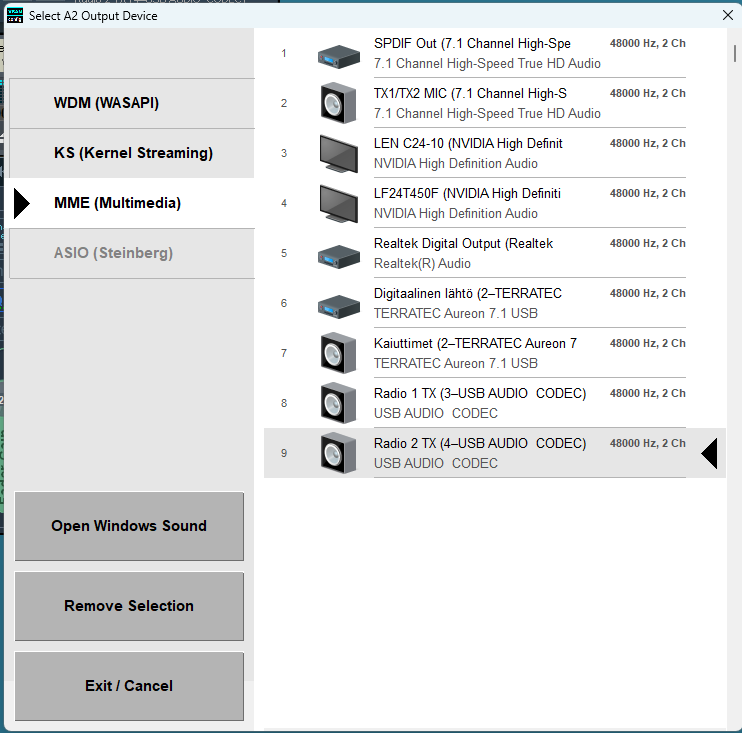
The station uses two FTdx101 radios, utilizing their internal USB audio interfaces to achieve SO2R capability. The microphone connects to the computer's sound card, and N1MM+ must route the microphone audio to the radio currently holding TX focus. Since N1MM+ cannot handle this routing directly, a virtual audio path is required between the computer's sound card and the radios' USB codecs. Voicemeeter can manage this audio routing, but a script is needed between N1MM+ and Voicemeeter to relay the TX focus status. This information is obtained by monitoring N1MM+'s radio UDP messages and extracting the focus data. (Note: N1MM+ messages themselves are routed directly to the correct radios without requiring additional software.)
There is one drawback compared to using the radio's front-panel microphone input: the radio's internal TX audio equalizer is bypassed. While Voicemeeter includes an equalizer, it only affects the live microphone signal and does not apply to the transmission of pre-recorded audio messages.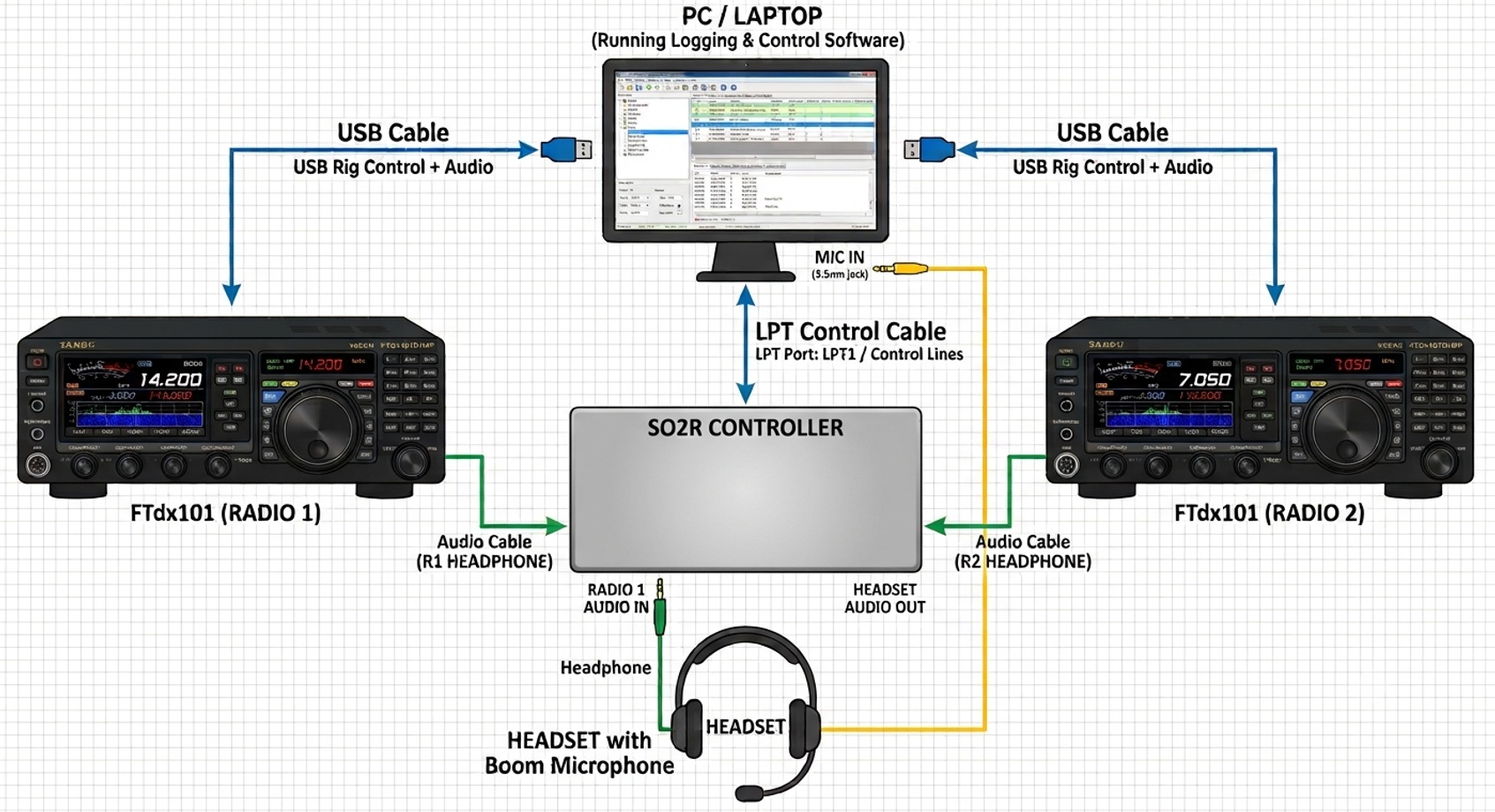
Signal & Control Flows
1. Audio Path (Audio Flow)
- The Microphone feeds analog/USB audio into a VoiceMeeter Hardware Input strip (e.g., Strip 1).
- The input strip is routed to two separate output buses:
- Bus A1 Radio 1 (Sound Card / Virtual Audio Cable 1)
- Bus A2 Radio 2 (Sound Card / Virtual Audio Cable 2)
- VoiceMeeter dynamically keeps one bus active while muting the other based on commands from the script.
2. Control Signal (Control Flow)
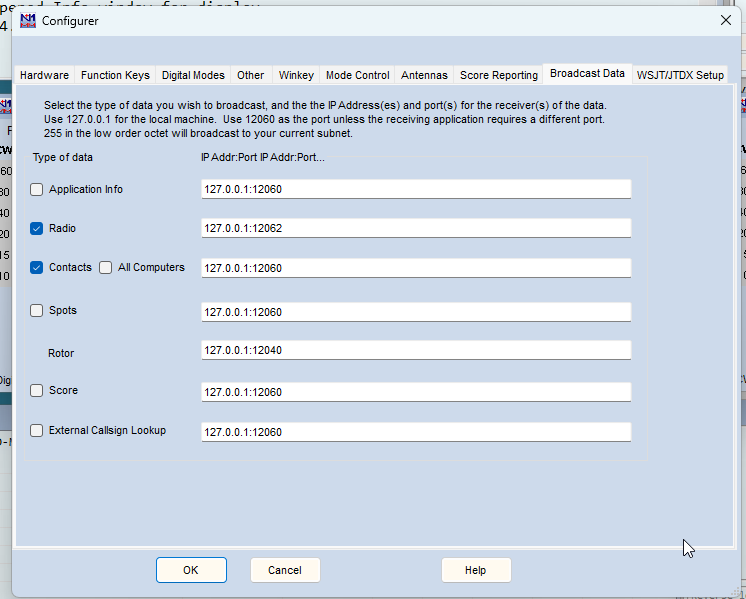
- N1MM+: Broadcasts real-time operational status over a UDP port (e.g., Radio status or Radio focus packets formatted in XML/JSON).
- Python Script:
- Listens to N1MM+'s UDP broadcasts in the background using the standard socket library.
- Parses the incoming packet to determine which radio currently holds TX focus (Radio 1 or Radio 2).
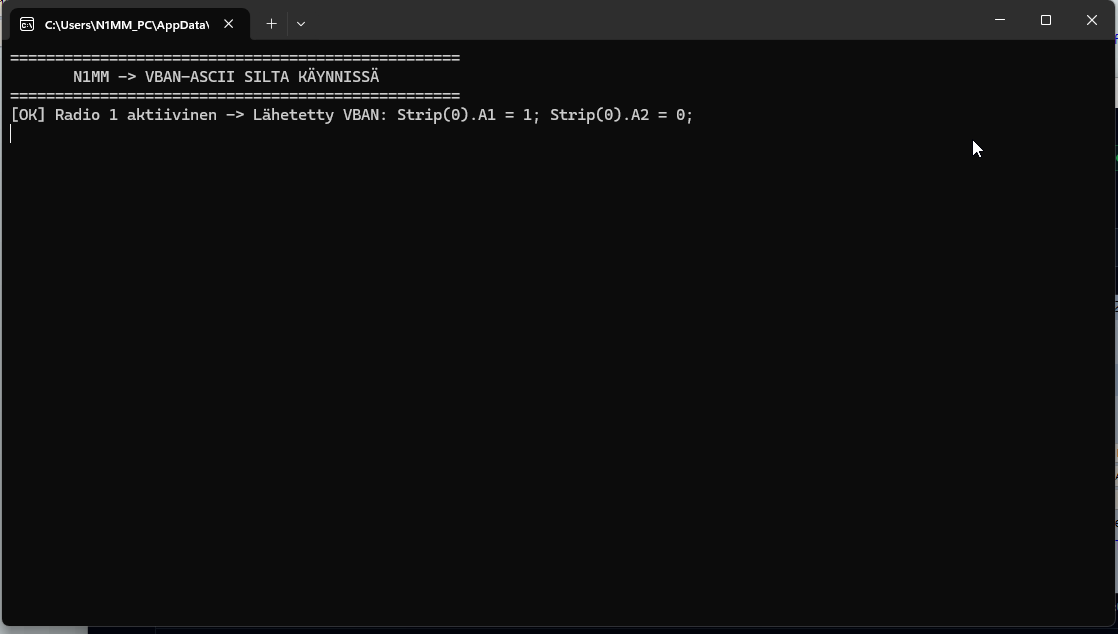
- Sends commands via the VoiceMeeter API (e.g., using voicemeeter-api or direct Remote DLL calls) to switch routing on the fly:
- TX Radio 1 Active: Strip[0].A1 = 1, Strip[0].A2 = 0
- TX Radio 2 Active: Strip[0].A1 = 0, Strip[0].A2 = 1
- Dowload N1MM_bridge.py
Routing Logic Matrix
| N1MM+ TX Focus | VoiceMeeter Python Command | Radio 1 Audio | Radio 2 Audio |
| Radio 1 | Strip(0).BusA1 = True, Strip(0).BusA2 = False | Active (TX) | Muted |
| Radio 2 | Strip(0).BusA1 = False, Strip(0).BusA2 = True | Muted | Active (TX) |
CONTINUE........
- Details
- Written by: Jari Ojala
- Category: Uncategorised
- Hits: 1072
Vds overcurrent protection and current measurement board
The circuit board has Ids current measurement functions, as well as fast shutdown in overcurrent situations.
The overcurrent can be adjusted as desired with a trimmer. Vds voltage on/off control. Locked shutdown in overcurrent situations. Output signal indicating locking. The locking is removed by resetting with a reset signal.
One board has two separate protection/measurement lines. The board is suitable for amplifiers containing 1-2 RF modules.
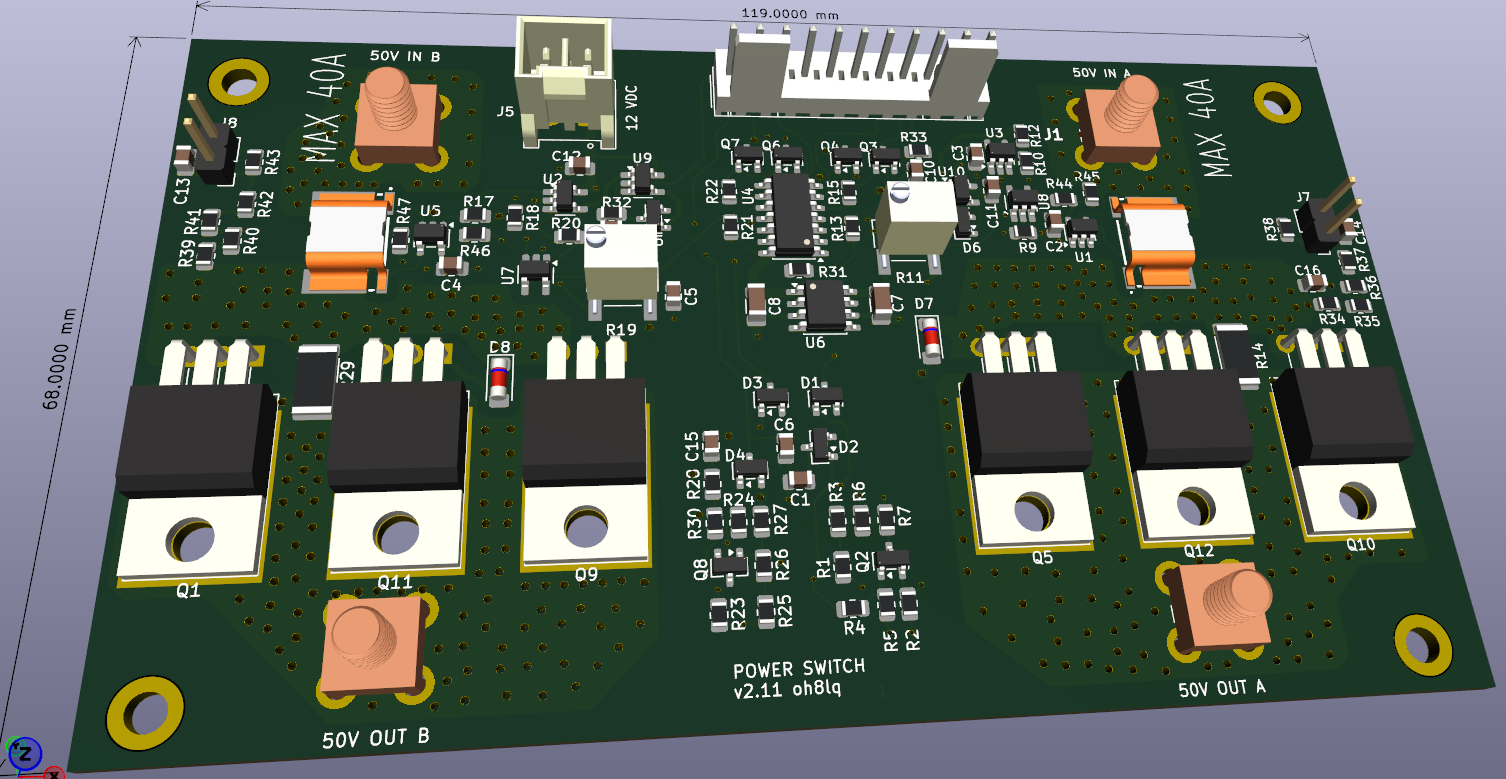
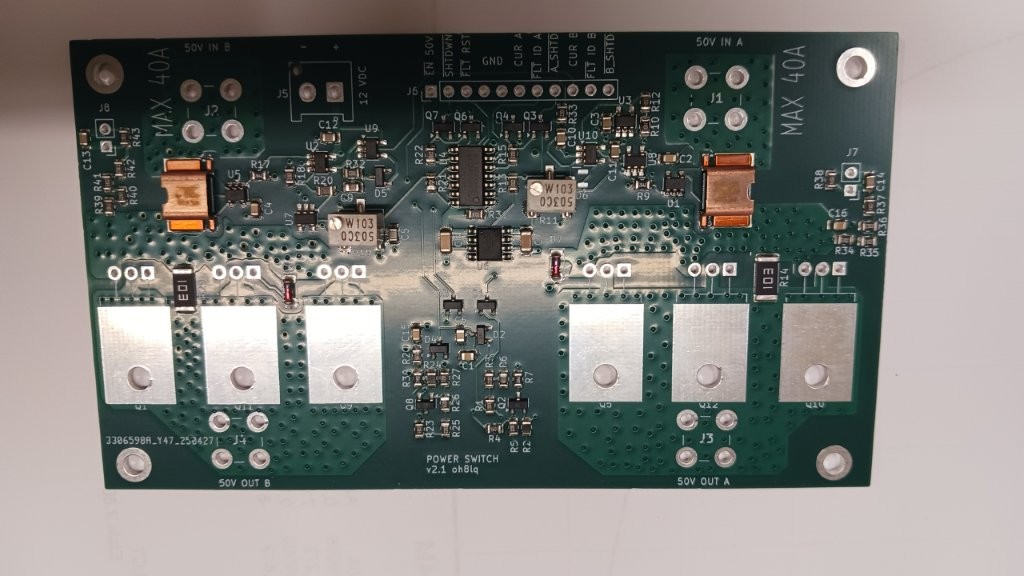
The board is available with SMD components pre-assembled.
Page 1: Current Sensing and Shutdown Logic (Channels A and B)
This schema page contains the heart of the protection mechanism. The board is split into two identical channels (A and B), allowing independent protection for two separate LDMOS transistors or circuits:
- Current Sensing: Current flows in through the IN_+50VDC connector and passes through a high-precision shunt resistor (WSL4026, 1 mΩ). An INA169 (abs max voltage 75 V), at case of over 60 V use INA293A1 (A=20), IC measures the voltage drop across the resistor and converts it into a current-proportional voltage.
- Resistors R9 and R17 set INA169 the maximum amplication, 24k9 set A=25.
- The calculation example on the schematic shows: 25 A of current corresponds to 3.12 V, and 40 A corresponds to 5.00 V on the A_CURRENT and B_CURRENT lines.
- Comparator and Latch (Trip Logic): The voltage is fed to a TL331 comparator and a 74HC74 D-flip-flop. If the current exceeds the set threshold, the flip-flop latches into a fault state and cuts off the drive lightning-fast. Cut off current sets by R11 and R19 trimmers.
- Power Switches (Power MOSFETs): Heavy-duty, parallel-connected P-channel Power MOSFETs (IXTP120P065T or SUP60061EL-GE3) act as the actual switch and electronic fuse. They cut off the 50 V supply to the OUT_+50VDC connectors. Use at over 50 V Vds SUP60061EL-GE3.
Page 2: Connectors and Voltage Regulation
This schema page details how the board physically connects to the rest of the system:
- Main Power Connectors (J1, J2, J3, J4): Heavy-duty 74651173R screw terminals designed for high currents on the 50 VDC inputs and outputs.
- Internal Operating Voltage (U6): An L78L05 linear regulator drops the +12V supply down to +5V for the board's onboard logic. If you have a 3V3 processor (like newer Arduinos), change the regulator to a 3V3 model.
- Control Connector J6 (11-pin male header): The bus through which the board communicates directly with the main motherboard (Control Board). The signals are:
- EN-50V (Enable 50V board)
- SHUTDWN (Open collector type emergency shutdown output)
- FAULT_RST (Logic level pull-up type input to reset the protection)
- GND
- A_CURRENT (Analog voltage signal for Channel A current)
- FAULT_ID_A (CMOS logic level indicator for a Channel A fault)
- A_SHTD and B_SHTD (Connected together so both A and B shutdown at the same time)
- B_CURRENT (Analog voltage signal for Channel B current)
- FAULT_ID_B (CMOS logic level indicator for a Channel B fault)
- Details
- Written by: Jari Ojala
- Category: Uncategorised
- Hits: 656
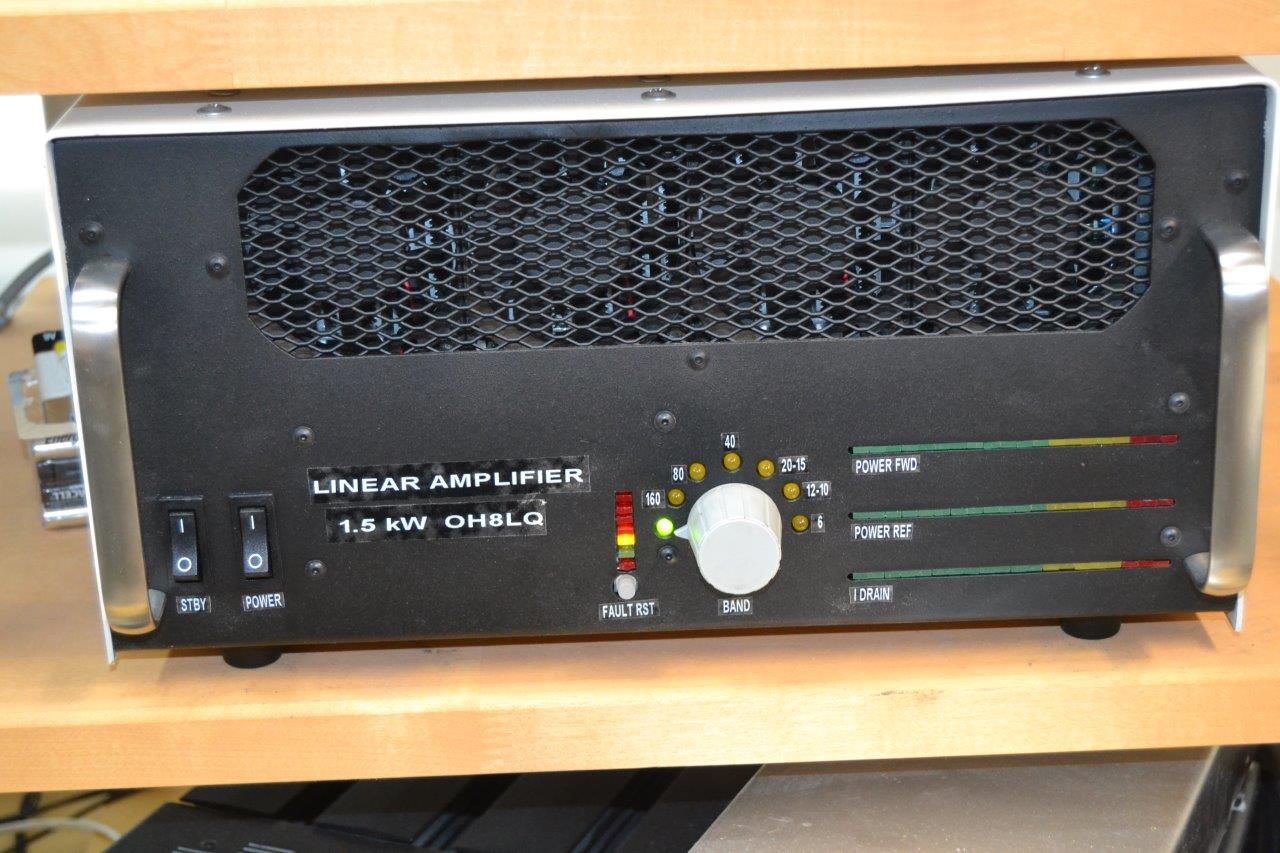
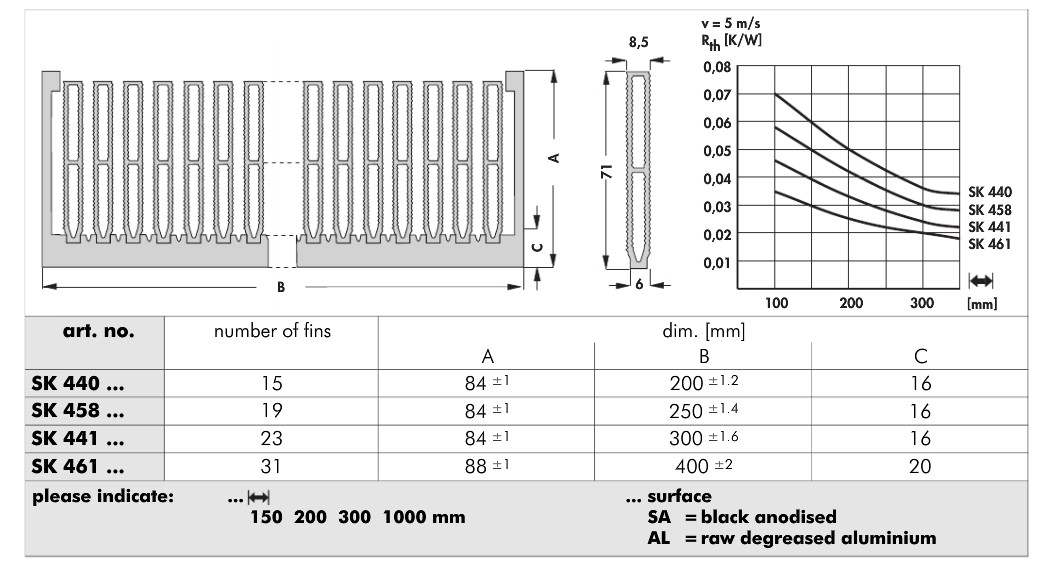
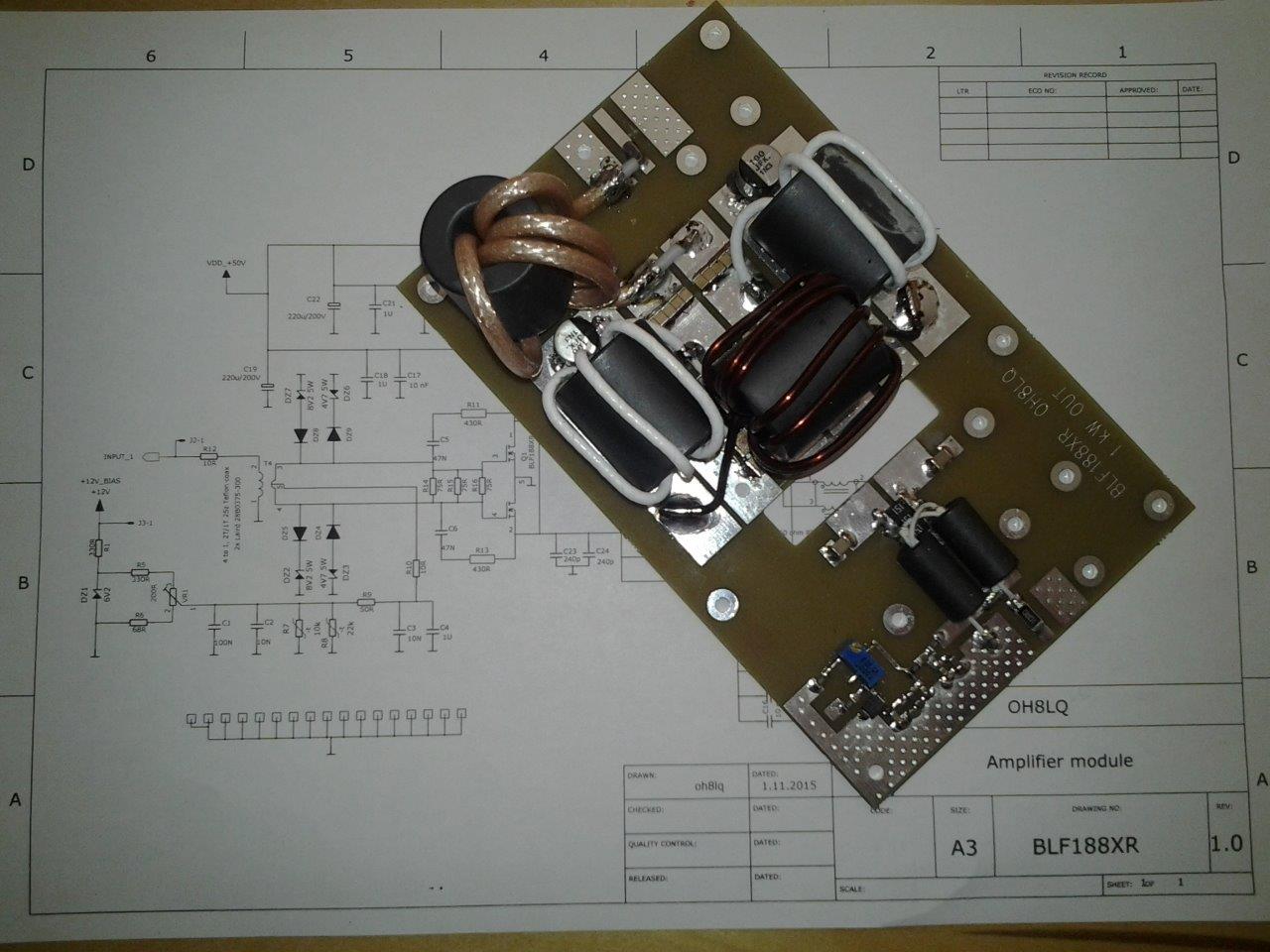
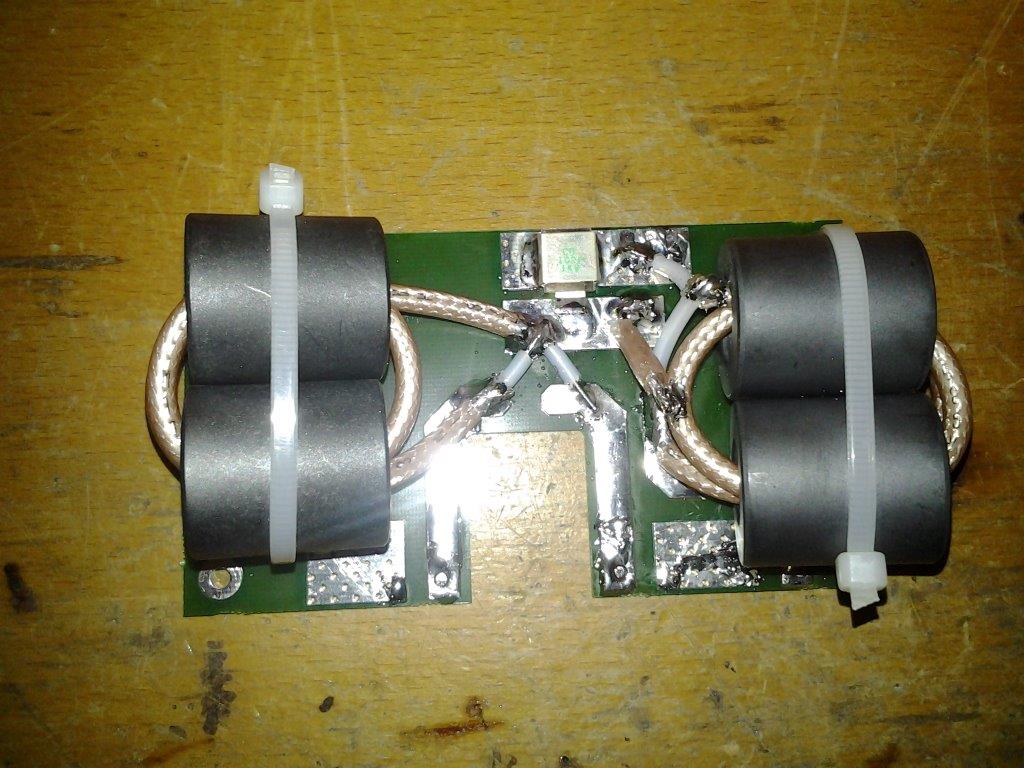
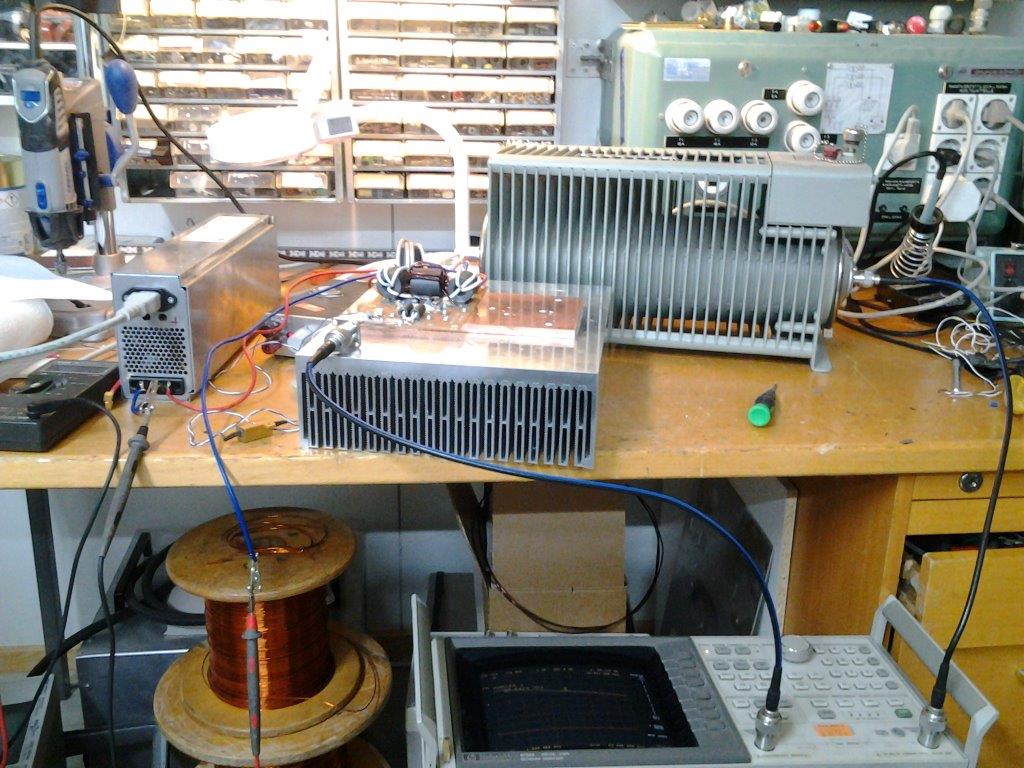
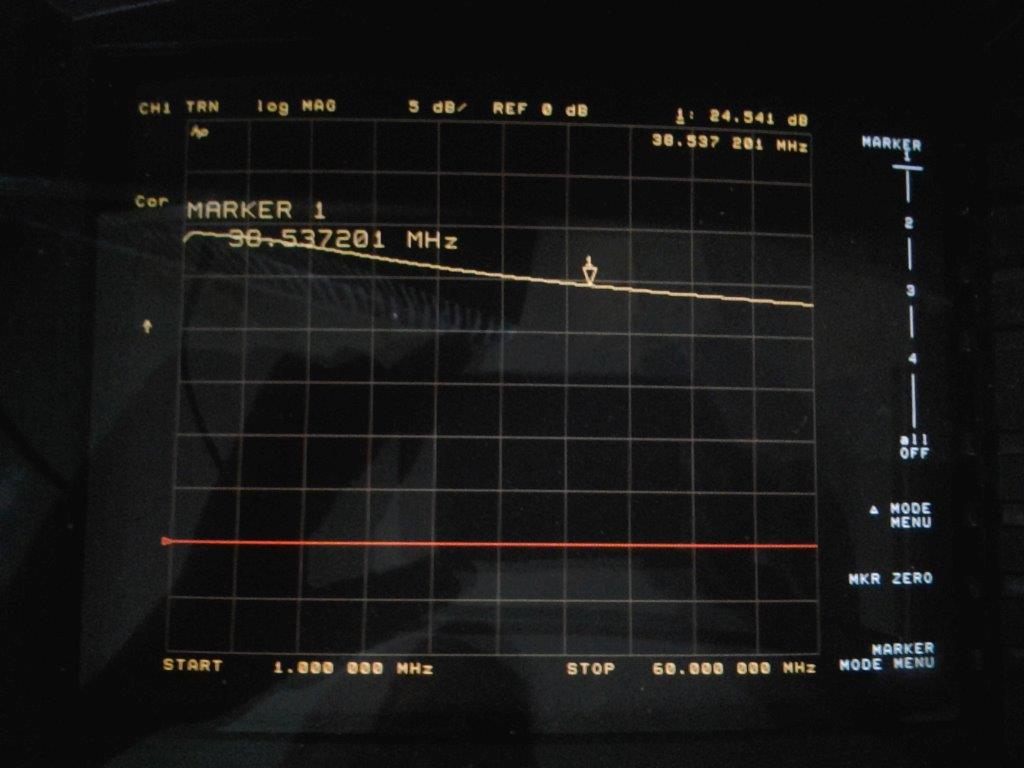
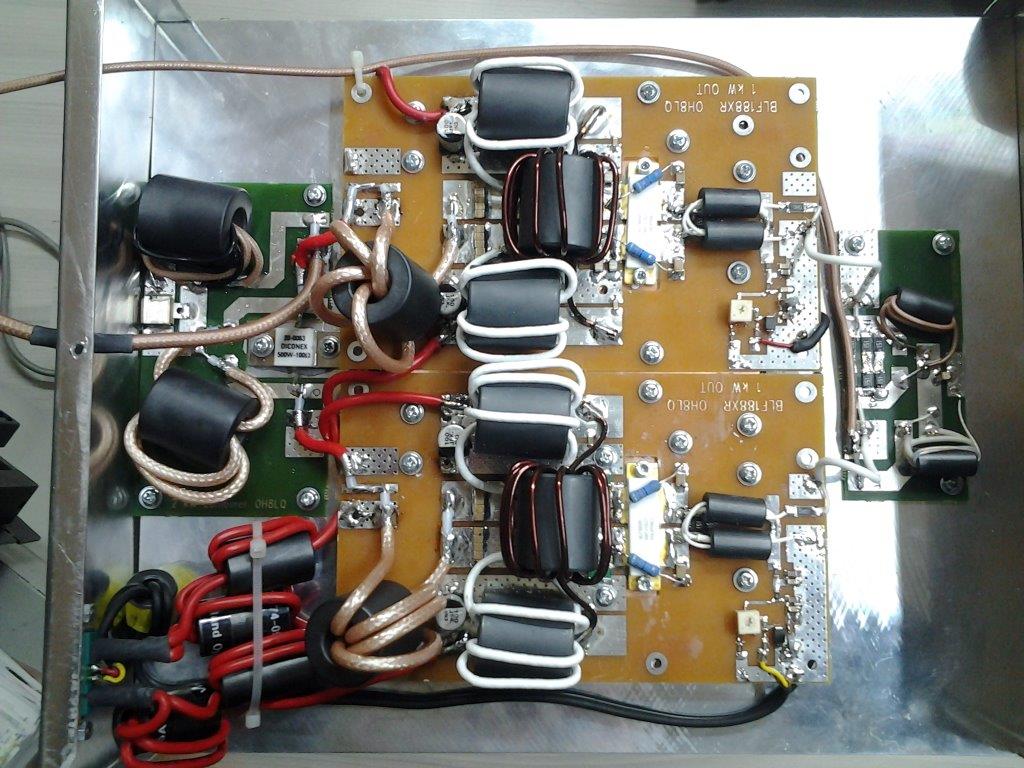
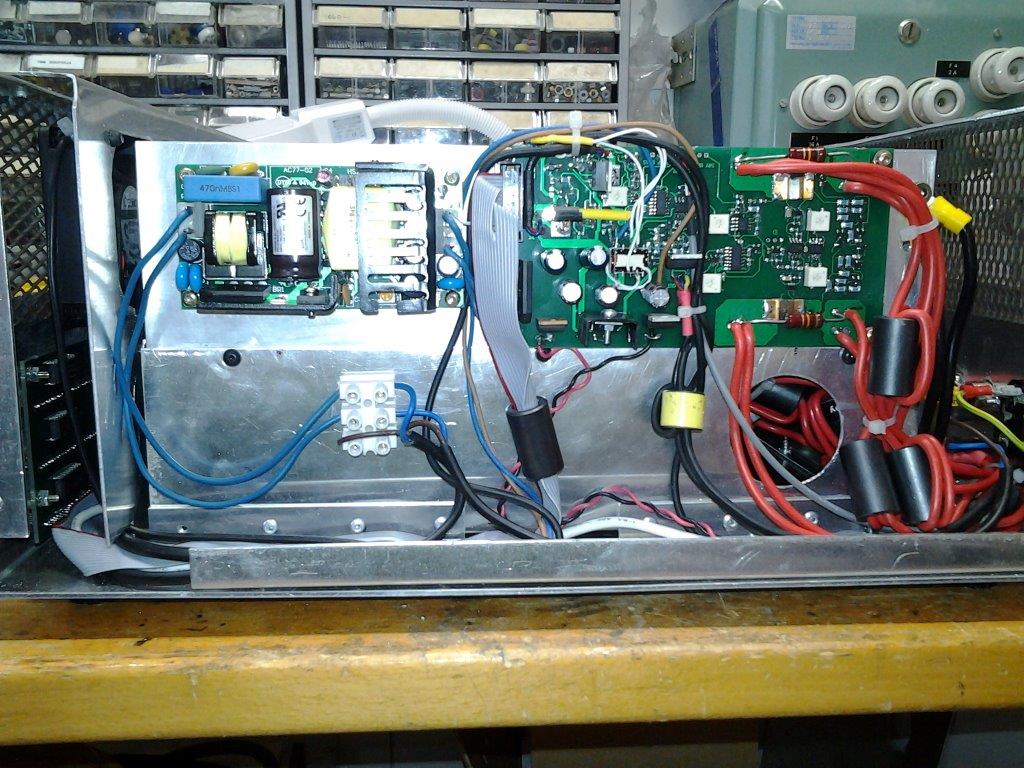
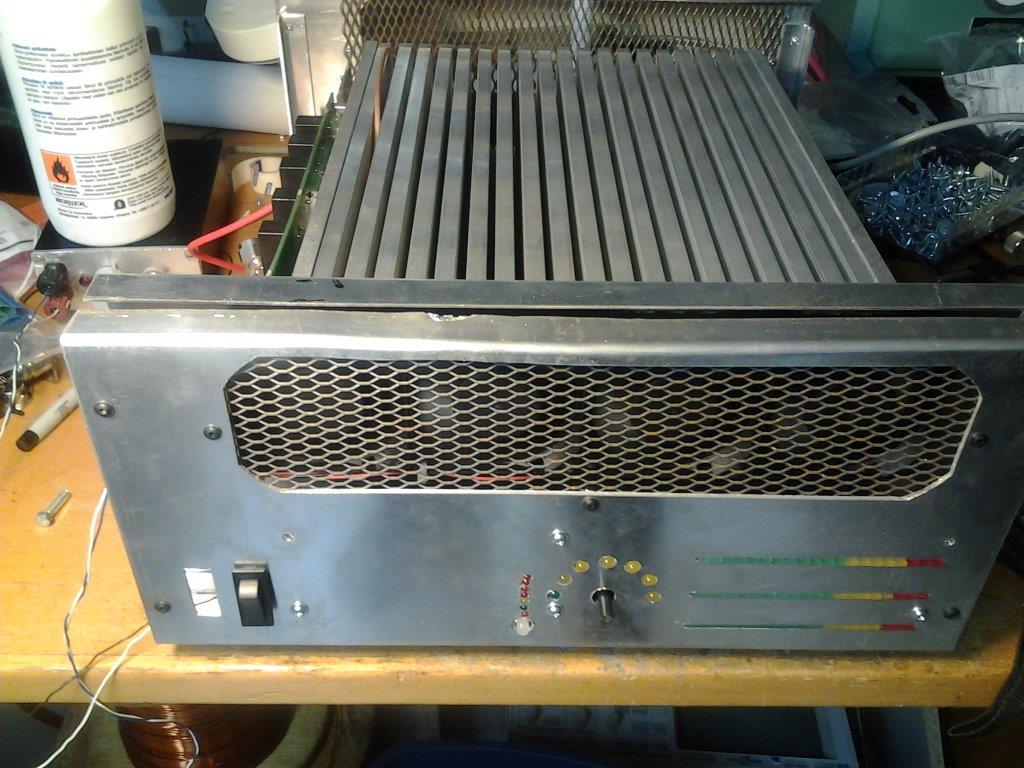
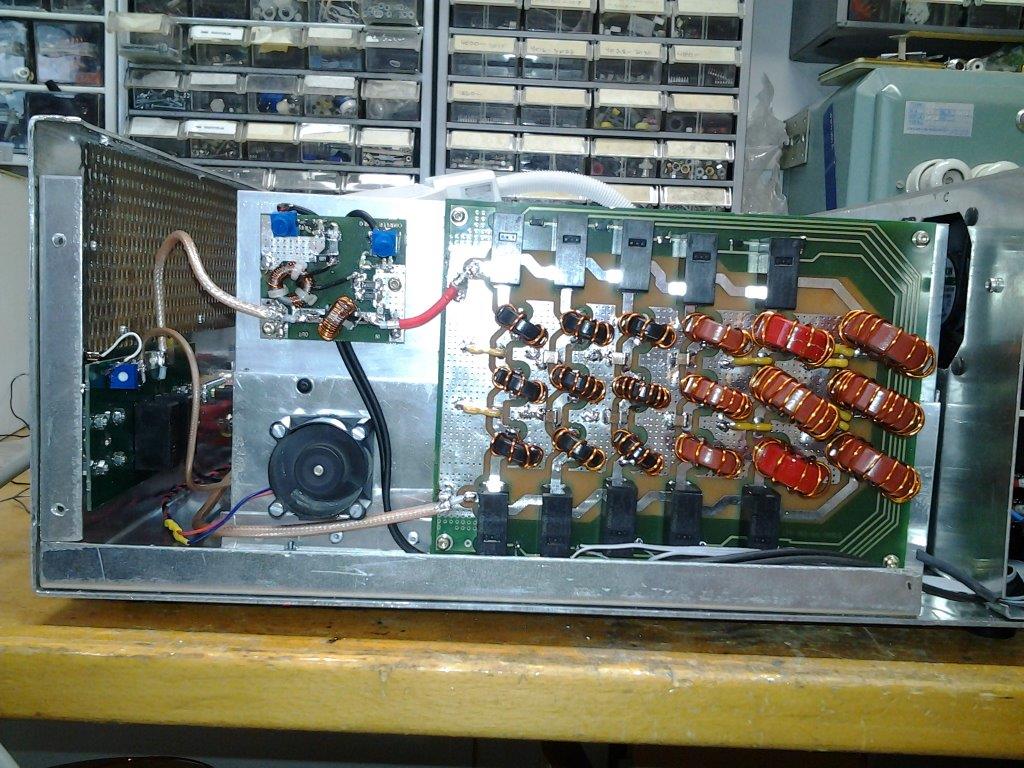
2xBLF188XR LDMOS HF-linear amplifier
- Details
- Written by: Jari Ojala
- Category: Uncategorised
- Hits: 4872
LDMOS Linear amplifier control system.
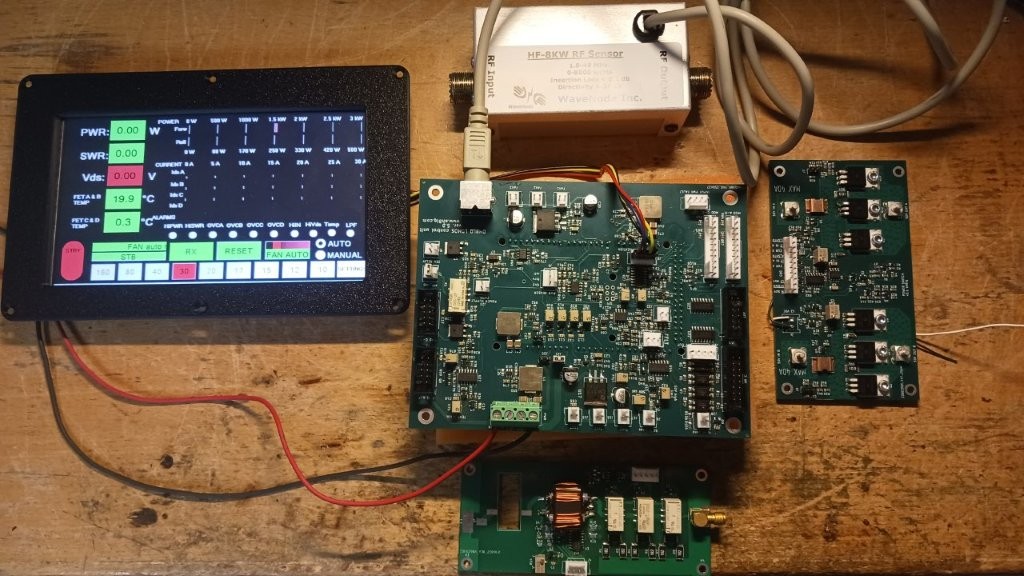
Nextion display NX8048P070-011R or NX8048P050-011R, control board, input attenuator and high input power detector, wavenode sensor and DC switch.
Core Features of the Control Board
- Hardware-Level Protection: All critical, high-speed safety trips are built directly into the electronic circuitry (hardware implementation). The software only handles alarm reporting, ensuring lightning-fast protection that remains fully operational regardless of firmware updates or software hangs.
- Dual Arduino Compatibility: The printed circuit board is designed to host either the Arduino DUE or the Arduino Giga WiFi R1 development platform.
- Network Connectivity & Remote Control: When paired with the Arduino Giga, the amplifier gains WiFi connectivity. This enables full remote control and real-time monitoring via a Java-based web interface accessible on any browser.
- Touchscreen Interface: Local operation is handled through a clear, visual Nextion 5" or 7" touchscreen display.
- Over-The-Air (OTA) Updates: Both the Arduino firmware and the Nextion graphical interface files (.tft) can be updated wirelessly over the network, removing the need for physical programming cables. The device can check for the latest versions directly from its own menu.
- Flexible Module Support: The control board scales seamlessly to support amplifiers utilizing 1, 2, or 4 LDMOS modules. The drain current of each module is measured independently, and the main display meter scales are fully adjustable.
- Smart Input Attenuation: A programmable 0–3 dB attenuator can be integrated into the RF input path to balance transceiver drive power on a per-band basis, keeping the sensitive LDMOS gates safe.
- Automatic Band Tracking: Supports automatic frequency and band switching protocols for the most popular transceiver brands, including Yaesu band data, Icom CI-V, and Kenwood CAT.
- Operational Logs & Statistics: The board stores vital usage statistics in memory, tracking the total cumulative power-on time, active transmit runtime, and a dedicated TRX relay cycle counter to monitor component wear.
Hardware
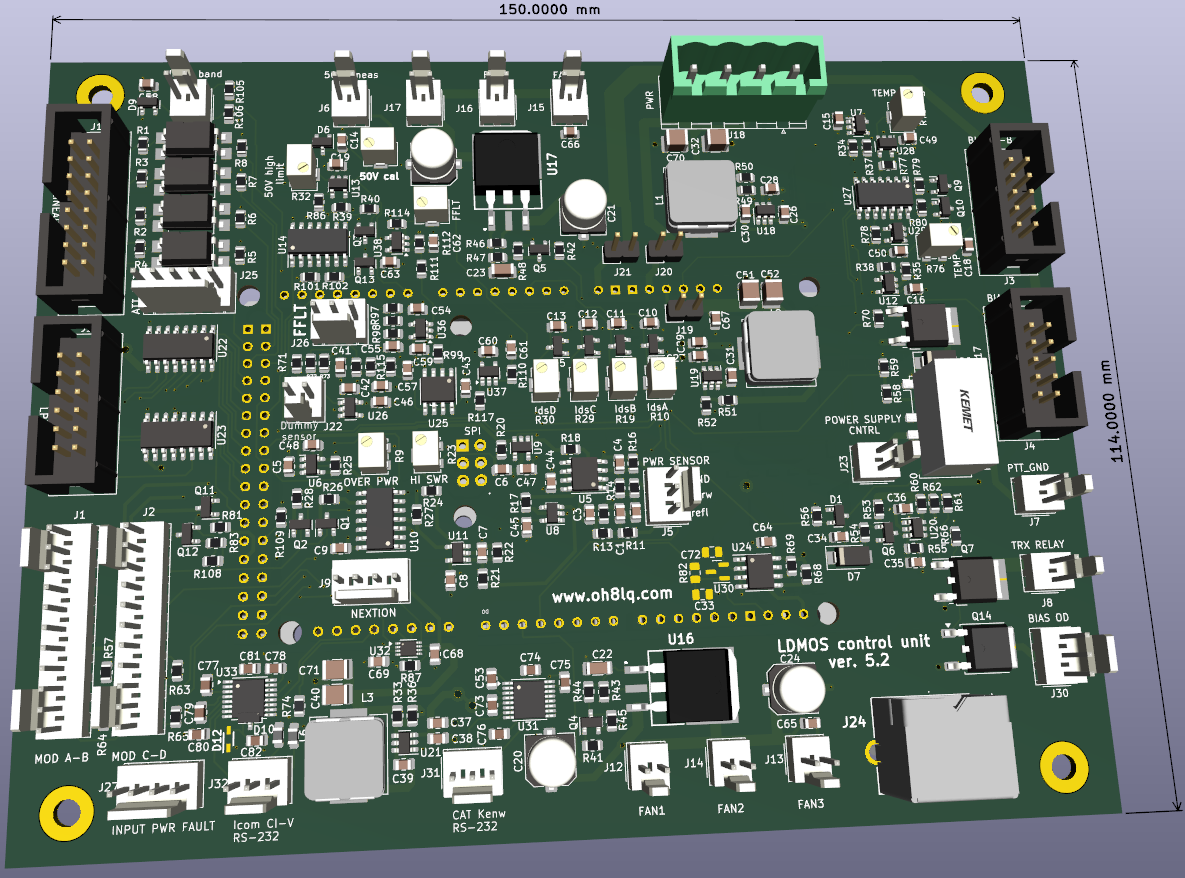
Four layer PWB (Kicad 3D)
Latest version v 5.2 PWB
Version 5.2 control board CAT added for Kenwood and Icom
BOM HTML
LDMOS control card connectors and calibration.pdf
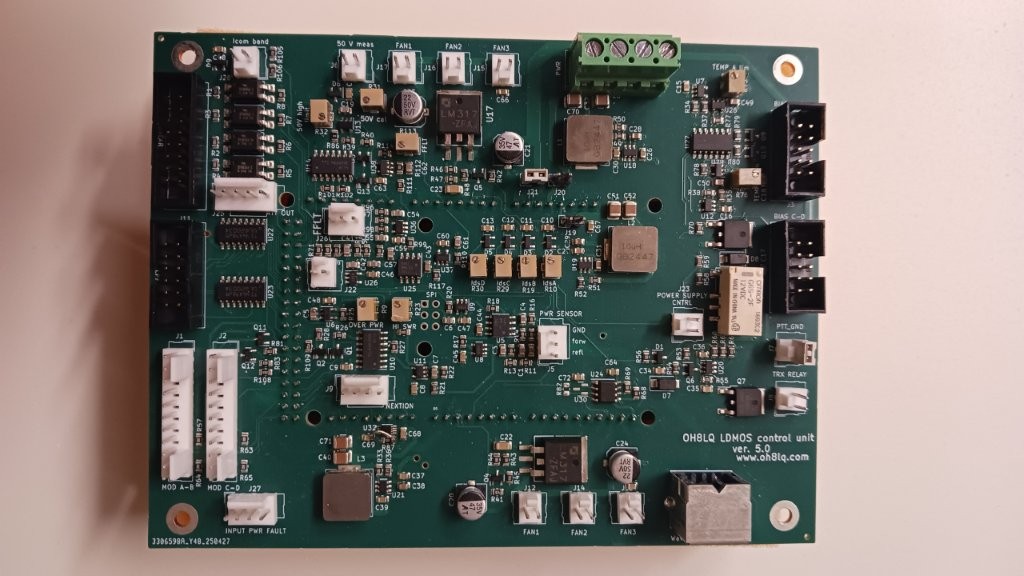
If enough people are interested in the circuit board, the board can be ordered in batches, either with or without SMDs installed. The required Arduino can be programmed upon agreement.
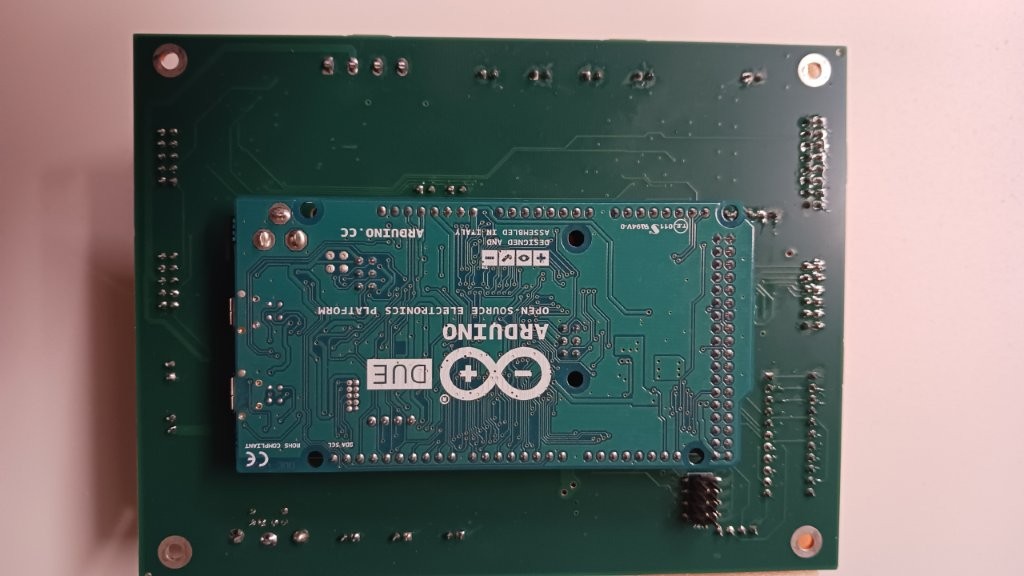
PWB and Arduino board (DUE or GIGA uses WiFi and remote possibilties)
Graphic user interface

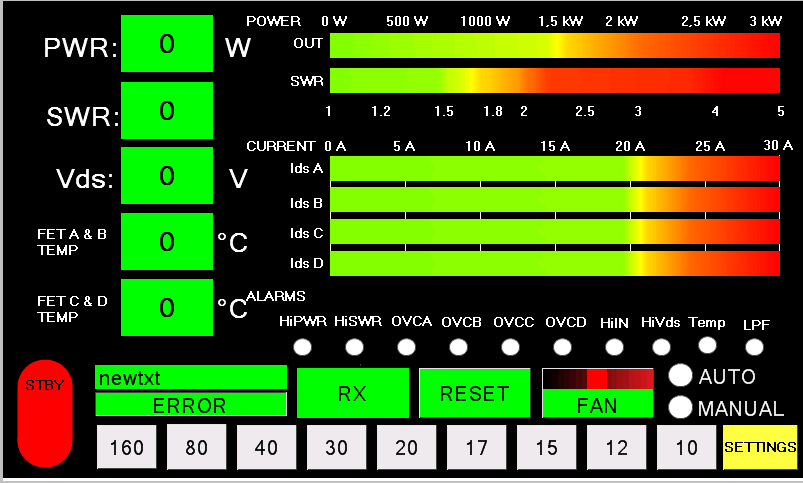
Four module view
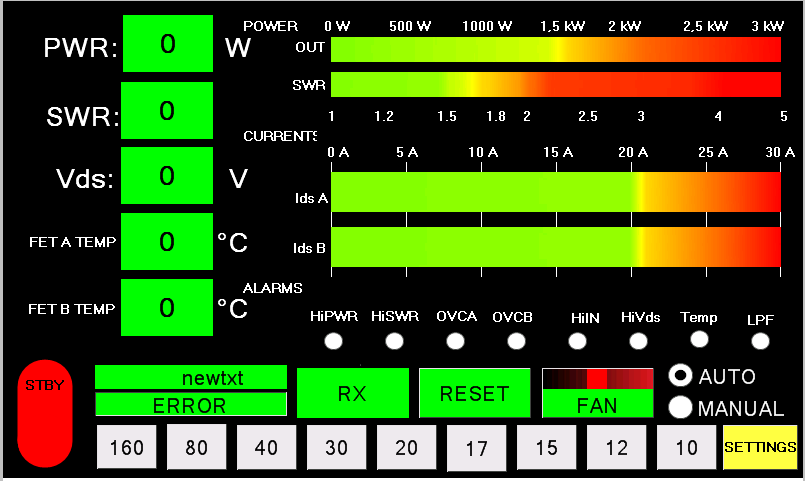
Two module view
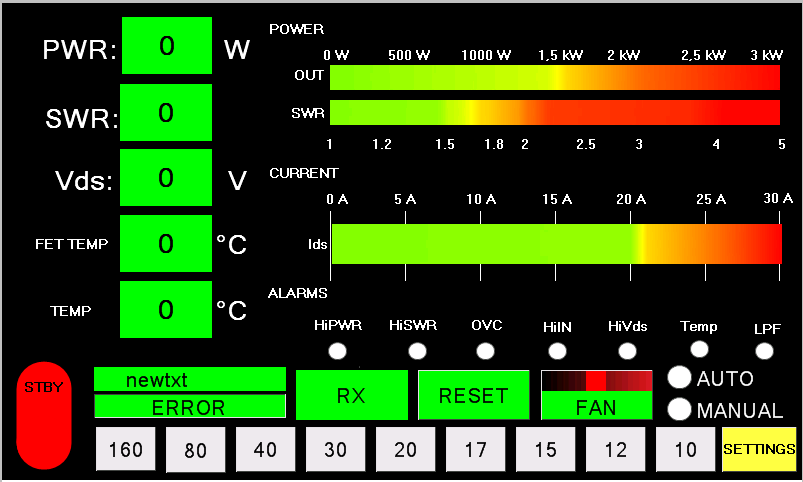
One module view
The image displays the Main User Interface (UI) Screen designed for the physical Nextion touch display mounted on the front panel of the amplifier. It contains the exact same control loops and metrics as the web-based remote panel, but formatted specifically for local hardware operation.
The functions and interface elements are arranged as follows:
1. Digital and Analog Meters (Left Side and Top)
- PWR: Live output power readout shown digitally and on a real-time bar graph (0 to 3 kW scale).
- SWR: Antenna line Standing Wave Ratio shown digitally and via a color-coded bar graph (1.0 to 5.0 scale).
- Vds: Direct drain voltage fed to the LDMOS transistors.
- FET A & B TEMP / FET C & D TEMP: Separate real-time temperature telemetry for the two main transistor pairs.
- Ids A, Ids B, Ids C, Ids D: Dedicated horizontal current draw graphs tracking each of the four LDMOS modules individually (0 to 30 A scale).
2. Alarm Status Cluster (Center - ALARMS)
- A dedicated horizontal matrix of status circles that illuminate during hardware faults: HiPWR (over-power), HiSWR (antenna mismatch), OVCA...OVCD (per-module over-current), HiIN (over-drive from transceiver), HiVds (voltage spike), Temp (thermal ceiling tripped), and LPF (improper low-pass filter selection).
3. State Controls and Navigation (Bottom Layout)
- STBY (Red vertical button): Key interlock to alternate the system state between Standby and active Operate mode.
- ERROR Field: A wide text banner that prints clear diagnostic descriptions when safety trips deploy.
- RX: Status block that stays green during reception and turns red to denote active transmission (TX).
- RESET: A clear-fault command to manually override and reset active hardware protection trips after resolving an issue.
- FAN: Speed indicator showing the duty cycle of the active cooling fan network.
- AUTO / MANUAL: Radio toggles to switch between automatic transceiver frequency tracking (via CAT/CI-V bus) and direct manual selection.
- Band Buttons (160 to 10): Direct quick-press keys to manually step through the low-pass filter configurations.
- SETTINGS: Direct page navigation link leading to the main global setup menu analyzed previously.
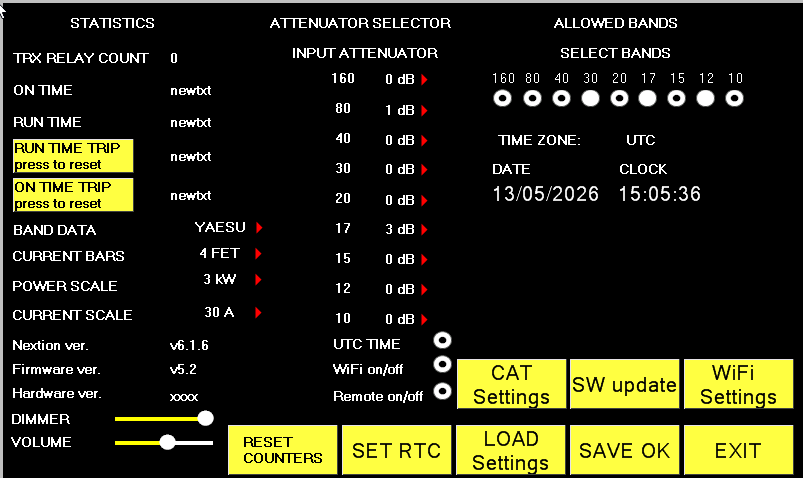
The image displays the Main Settings Menu for the amplifier controller. This page manages operational parameters, tracks usage statistics, and provides navigation to other submenus.
The functions are divided into three main columns and a bottom row:
1. STATISTICS
- TRX RELAY COUNT: Monitors how many times the transmit/receive (PTT) relays have cycled. This helps track relay wear and tear.
- ON TIME / RUN TIME: Tracks the total cumulative power-on time and active transmit time.
- Yellow reset buttons: Resets the temporary trip meters (RUN TIME TRIP / ON TIME TRIP).
- BAND DATA (YAESU): Selects the transceiver interface protocol. Here, Yaesu is selected (can be toggled to other brands like Icom or Kenwood).
- CURRENT BARS: Configures how many individual transistor current bars are displayed on the main screen.
- POWER SCALE / CURRENT SCALE: Adjusts the maximum scale limits for the analog meters on the main screen.
- Version numbers: Displays current Nextion screen, firmware, and hardware version revisions.
- DIMMER / VOLUME: Sliders to adjust the screen backlight brightness and buzzer sound volume.
2. ATTENUATOR SELECTOR
- INPUT ATTENUATOR: Allows setting a specific attenuation value (in dB) individually for each amateur band (160m to 10m). Since LDMOS gates are highly sensitive, if a transceiver over-drives a specific band, relay-switched physical attenuators can be automatically engaged here (e.g., 1 dB on 80m and 3 dB on 17m in the image).
- Radio buttons at the bottom: Toggles for UTC TIME synchronization, WiFi on/off (disabling the wireless radio), and Remote on/off (enabling network control permissions).
3. ALLOWED BANDS & TIME
- SELECT BANDS: Checkboxes (white circles) for each band. Unchecking a band prevents the amplifier from entering transmit mode on that frequency, serving as a safety interlock.
- DATE / CLOCK: Displays the Real-Time Clock (RTC) status. The image shows the date 13/05/2026 and the active clock time.
4. Bottom Action Buttons
- RESET COUNTERS: Clears the operational statistics.
- SET RTC: Opens the date and time configuration screen.
- LOAD SETTINGS / SAVE OK: Recalls saved configurations from memory or commits new changes permanently to EEPROM.
- Yellow navigation buttons: Direct shortcuts to the submenus previously discussed: CAT Settings (transceiver control), SW update (OTA firmware update), and WiFi Settings.
- EXIT: Closes the settings window and returns to the main operational interface.
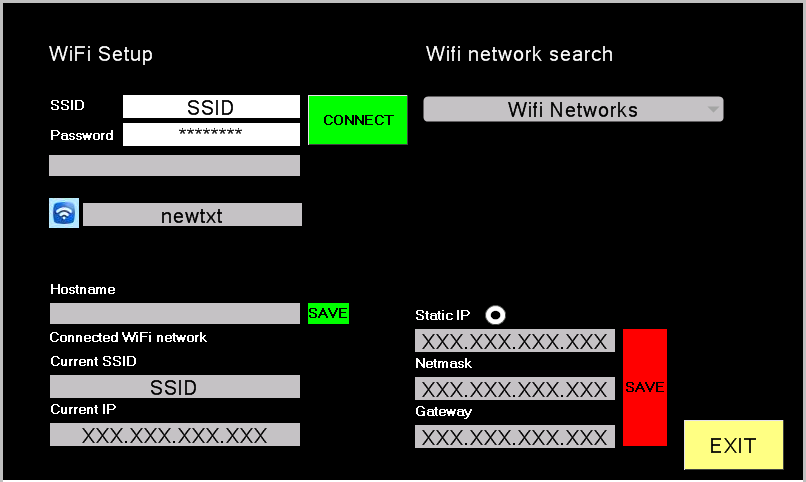
The image displays the WiFi Setup configuration menu for the amplifier controller. This interface connects the control board to a local wireless network, enabling remote web browser control and over-the-air updates.
The functions are divided into the following sections:
1. Network Discovery and Connection (WiFi Setup & Search)
- Wifi Networks: A drop-down menu used to scan and select available local wireless networks.
- SSID: The name of the selected wireless network, or a field to manually enter a hidden network name.
- Password: The network security key (hidden behind masked characters ********).
- CONNECT (Green): A button that executes the network login sequence using the entered credentials.
2. Device Identity and Current Connection Status
- Hostname & SAVE: A text input to assign a custom network name to the device (e.g., powerqube). The adjacent SAVE button writes this name to memory.
- Connected WiFi network / Current SSID: Displays the name of the network the controller is currently linked to.
- Current IP: Displays the active network IP address currently assigned to the device (XXX.XXX.XXX.XXX).
3. Static IP Configuration
- Static IP: Toggles between a static IP assignment and automatic network addressing (DHCP).
- Network Fields: Input areas to manually configure the dedicated network settings: Static IP, Netmask, and Gateway.
- SAVE: Commits the manually entered IP, netmask, and gateway values to the hardware.
4. Navigation
- EXIT: Closes the WiFi setup menu and navigates back to the prior interface.
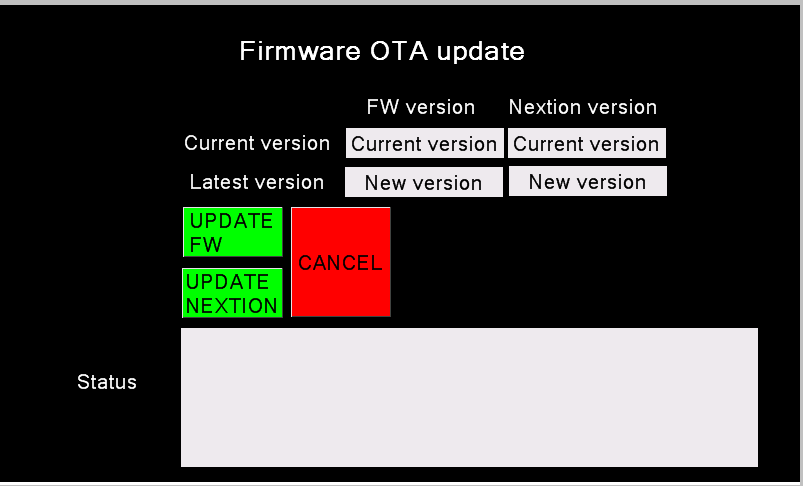
This view displays the Firmware OTA update (Over-The-Air) menu for the amplifier controller. It allows the device firmware and touch screen interface files to be updated wirelessly over the network, eliminating the need to physically connect the control board to a computer with a cable.
The image features the following functions and details:
1. Software Version Tracking (Version Info)
The interface compares the software currently running on the device against the latest available version found on the server for two distinct components:
- FW version: The current version (Current version) and the latest available version (New version) of the main Arduino firmware.
- Nextion version: The current version and the latest available version of the graphical user interface files for the Nextion touch display.
2. Action Buttons
- UPDATE FW: Initiates the wireless firmware update process for the Arduino controller.
- UPDATE NEXTION: Starts downloading and flashing the touch screen interface files (.tft) over the network.
- CANCEL: Aborts the update procedure and exits the menu without applying any changes.
3. Status Tracking
- Status: The large white field at the bottom provides real-time log outputs regarding the update progress (such as connection status, download percentage, and installation phase).
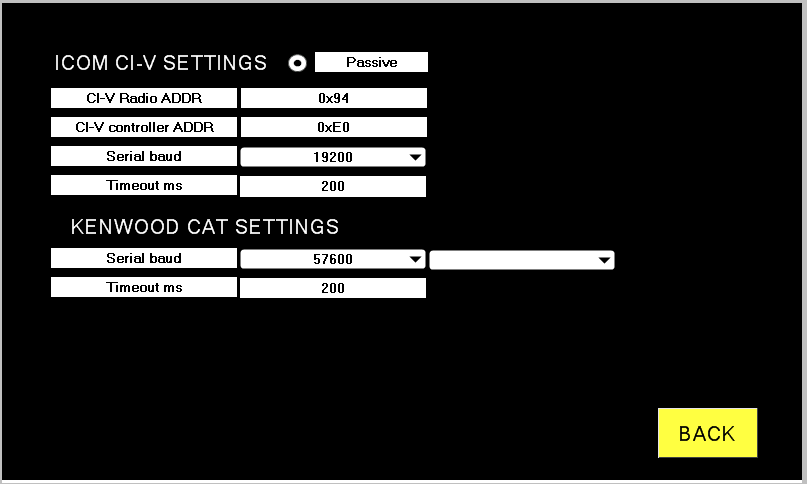
The image displays the radio remote control and communication settings (CAT / CI-V) configuration view for the same OH8LQ controller. This menu configures the amplifier to communicate directly with a connected Icom or Kenwood transceiver for automatic frequency tracking (band switching).
The options are split into two main sections:
1. ICOM CI-V SETTINGS
- Passive/Active selector: Select listener mode or polling mode.
- CI-V Radio ADDR (0x94): The hexadecimal address of the transceiver. The value 0x94 typically corresponds to models like the Icom IC-7300.
- CI-V controller ADDR (0xE0): The unique address of the amplifier's control board (Master) on the bus. The default controller address is set to 0xE0.
- Serial baud (38400): The serial communication speed. It is configured to 38,400 bps. The transceiver's internal settings must match this exact value.
- Timeout ms (200): The connection timeout threshold in milliseconds. If the radio fails to respond within 200 ms, the controller flags a communication error.
2. KENWOOD CAT SETTINGS
- Serial baud (19200): The serial communication speed for a Kenwood transceiver, configured here to 19,200 bps.
- Data bits, Parity, and Stop bits (8N1): The framing configuration for the serial protocol. 8N1 denotes 8 data bits, no parity, and 1 stop bit, which is the standard format for Kenwood.
- Timeout ms (200): The timeout threshold (200 ms) for the Kenwood interface before an error is generated.
The yellow BACK button in the bottom right corner returns the user to the previous menu or main status screen.
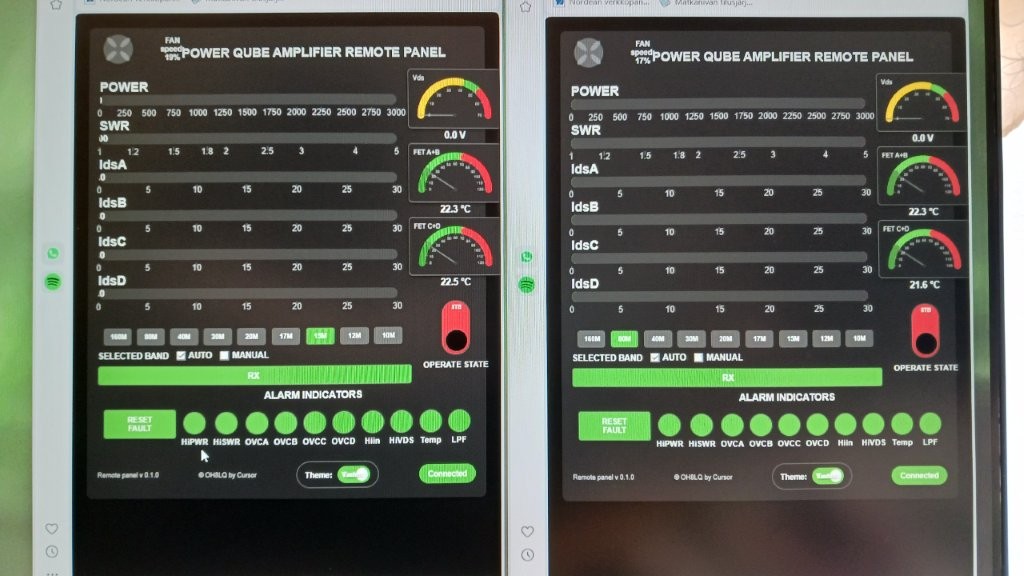
Two amps on display
The scales of the WEB remote panel bars are scaled to the same maximum
value as those of the Nextion display.

The control system runs on an Arduino Giga WiFi R1 board. This connects the amplifier to a local network and lets you monitor its status directly via a web browser.
The functions and user interface elements are divided as follows:
1. Real-Time Meters (Monitoring)
- POWER & SWR: Displays the amplifier output power (W) and the Standing Wave Ratio (SWR) of the antenna line.
- IdsA, IdsB, IdsC, IdsD: Measures the drain current (A) for each of the four LDMOS transistor modules separately. This quickly reveals if a module is unevenly loaded or failing.
- Vds: The supply voltage fed to the transistors (typically around 50 V).
- FET A+B / C+D (°C): Temperature readings for two different pairs of transistor pallets.
- FAN speed: Shows the current speed of the cooling fans, which scales based on power and heat levels.
2. Controls and State Selection
- Band Selection (Band): Buttons for amateur bands from 160m to 10m to switch the low-pass filters (LPF).
- AUTO / MANUAL: Automatic band tracking from the radio (via CAT cable or RF counter) or manual band switching.
- READY STB / OPERATE STATE: Toggle switch to set the amplifier to Standby (STB) or transmission mode (Operate).
- RX/TX: Status indicator light showing when the device is in receive mode.
3. Alarm Indicators
The panel features a comprehensive array of warning lights. While these warnings display on the software interface, the critical safety trips (like high SWR or overcurrent) trigger instantly at the hardware level to protect the expensive LDMOS FETs:
- HiPWR: Excessive output power.
- HiSWR: High reflected power from the antenna.
- OVCA, OVCB, OVCC, OVCD: Over-current (OVC) for each of the four individual modules.
- Hiin: Excessive input drive power from the radio.
- HiVDS: Supply voltage is too high.
- Temp: Overheating condition.
- LPF: Filter error (e.g., incorrect filter selected for the radio's operating frequency).
- RESET FAULT: Button to clear the triggered protection circuits and reset the fault status after troubleshooting.
The bottom of the interface also includes a Theme switcher (Light / Dark) and a Connected indicator, which confirms whether the browser session is actively communicating with the physical amplifier.
Latest remote panel (click link)
Downloadable material
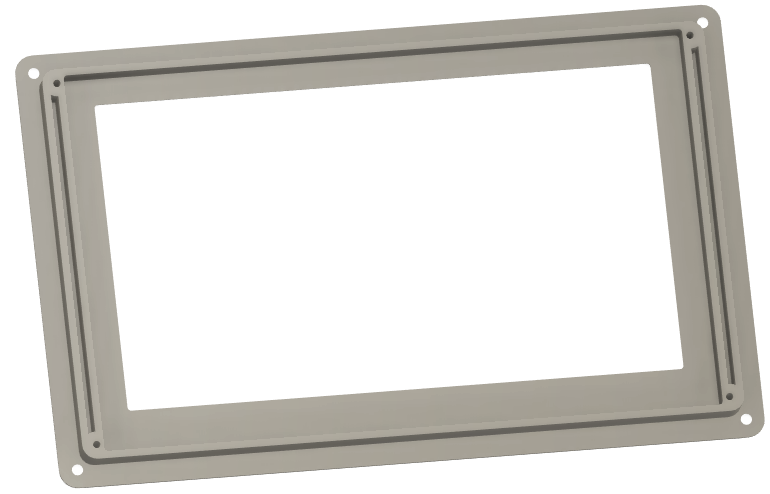
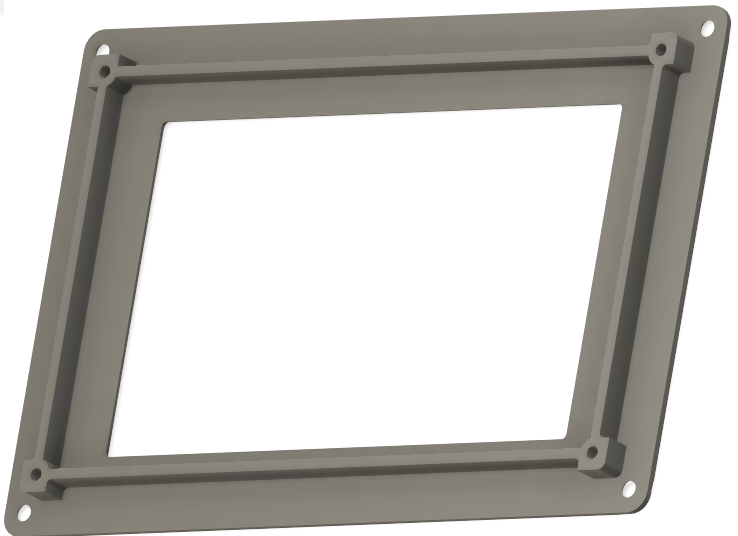
Installation frame 3D-models for Nextion 5" and 7" display
Download 5" TFT OR 7" TFT files
Download arduino Giga loader sketch!
The loader loads the latest program into the Arduino's memory.
The loader is a so-called OTA loader.
Download and extract the ZIP file. The ZIP contains the Arduino sketch file and a configuration file. Compile and run the sketch to load the latest version of the control board software onto the Arduino (Arduino GIGA WiFi board).
Programming instructions (arduino and nextion display)
Step 1: Partitioning and Formatting the Arduino QSPI Flash Memory
Since you are setting up a brand-new Arduino Giga R1 WiFi, its internal 16 MB QSPI flash memory must be formatted with a compatible file system. This allows the OTA loader to download, save, and store the firmware files, settings, and logs.
- Open the Arduino IDE.
- Ensure you have installed the Arduino Mbed OS Giga Boards platform core package via Tools -> Board -> Boards Manager.
- Go to File -> Examples -> Arduino_mbed__GIGA (or STM32H747_System) -> QSPIFormat.
- Connect the Arduino Giga to your computer using a USB-C cable and select the correct COM port.
- Click Upload.
- Once the upload finishes, open the Serial Monitor and set the baud rate to 115200. Follow any on-screen prompts to partition and format the flash drive. Wait until the monitor confirms "Format successful".
Step 2: Download Required Files and Tools
- Navigate to the OH8LQ website and download the initialization package: loader_LDMOS_control_v1.2.zip.
- Extract the ZIP package onto your computer. It contains the initialization sketch (.ino file) and a configuration file.
Step 3: Programming the Initial OTA Loader
- Open the extracted loader sketch (loader_LDMOS_control_v1.2) in the Arduino IDE.
- Locate the network configuration tab/section and enter your local WiFi Network Name (SSID) and Password.
- Select Arduino Giga as your board target from the menu and click Upload.
Step 4: Automatic Over-The-Air (OTA) Firmware Installation
- Once the loader boots up on the Arduino, it accesses the newly formatted flash partition and connects to your local WiFi network.
- The board automatically contacts the OH8LQ server, downloads the latest stable LDMOS controller firmware, and flashes it directly onto the internal storage.
-->You will see status on Serial monitor window
Step 5: Programming the Nextion Touch Display (.tft file)
Since this is a brand-new display, it does not have the firmware required to communicate over the network yet. You must flash the user interface file onto the screen using a MicroSD card.
Method A: Flashing via MicroSD Card (Recommended for first-time use)
- Prepare the SD Card: Take a MicroSD card (maximum capacity 32 GB) and format it on your computer to FAT32 file system.
- Download the File: Go to the OH8LQ website and download the compiled .tft file that matches your Nextion display size (5" TFT or 7" TFT).
- Copy to SD Card: Copy the downloaded .tft file directly to the root directory of the MicroSD card. Important: Ensure there is only ONE .tft file on the card.
- Flash the Screen:
- Power down the amplifier and the control board completely.
- Insert the MicroSD card into the slot located on the back of the Nextion display.
- Power up the control board/display. The Nextion screen will automatically detect the file, show a white progress screen, and start loading the firmware.
- Wait until the screen text says "Update Successeded!" (or 100% complete).
- Final Step: Power off the device, remove the MicroSD card from the slot, and power the device back on. The new LDMOS interface will now boot up.
Method B: Flashing Over-The-Air (For future updates)
Once the screen has been flashed once via SD card and can talk to the Arduino, you can update it wirelessly:
- On the screen (or via the web control panel interface), navigate to SETTINGS -> SW update.
- Tap the UPDATE NEXTION button.
- The control board will download the correct .tft file from the server and stream it over the serial connection onto the Nextion screen.
Step 6: Initial Configuration and Scaling
Once the system boots up successfully into the main graphical interface:
- Navigate to the SETTINGS menu.
- Adjust the CURRENT BARS value to match the exact number of LDMOS modules installed in your amplifier (1, 2, or 4 units).
- Set the POWER SCALE and CURRENT SCALE to match the maximum ratings of your specific RF deck.
- Select your radio transceiver's communication protocol under BAND DATA (e.g., Yaesu band data, Icom CI-V, or Kenwood CAT).
- Tap SAVE OK to permanently commit these parameters to the EEPROM memory.